A focus timer that remembers what you worked on
Turn on Focus mode and it runs 25-minute work sessions and 5-minute breaks on its own. It asks what you're working on, then checks back in when you're done.
macOS 12.4 or later
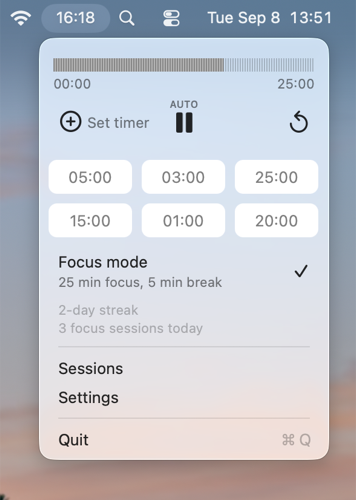
Turn it on once, let it run the cycle
25 minutes of work, then 5 minutes of break, automatically, for as long as you want. A small AUTO label above Play and Pause shows it's running the cycle for you. Prefer to run timers by hand? Leave Focus mode off and nothing changes.
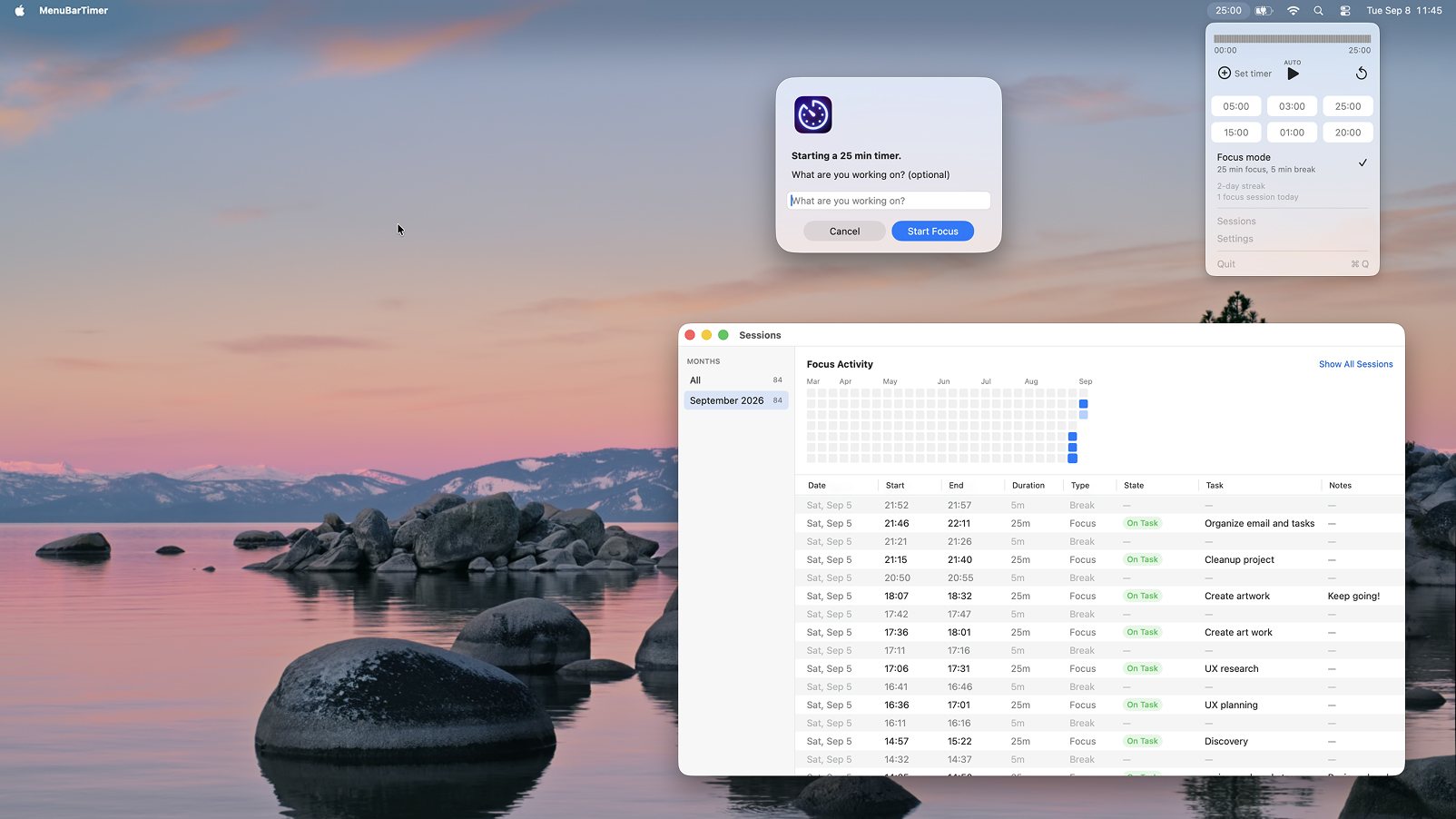
Say what you're doing. See how it went.
Every focus session opens by asking what you're working on. It closes by asking how it went: On Task, Distracted, or Other Task, with room for a note. Want the same for every timer, not just focus ones? There's a setting for that.
A full history, not just today
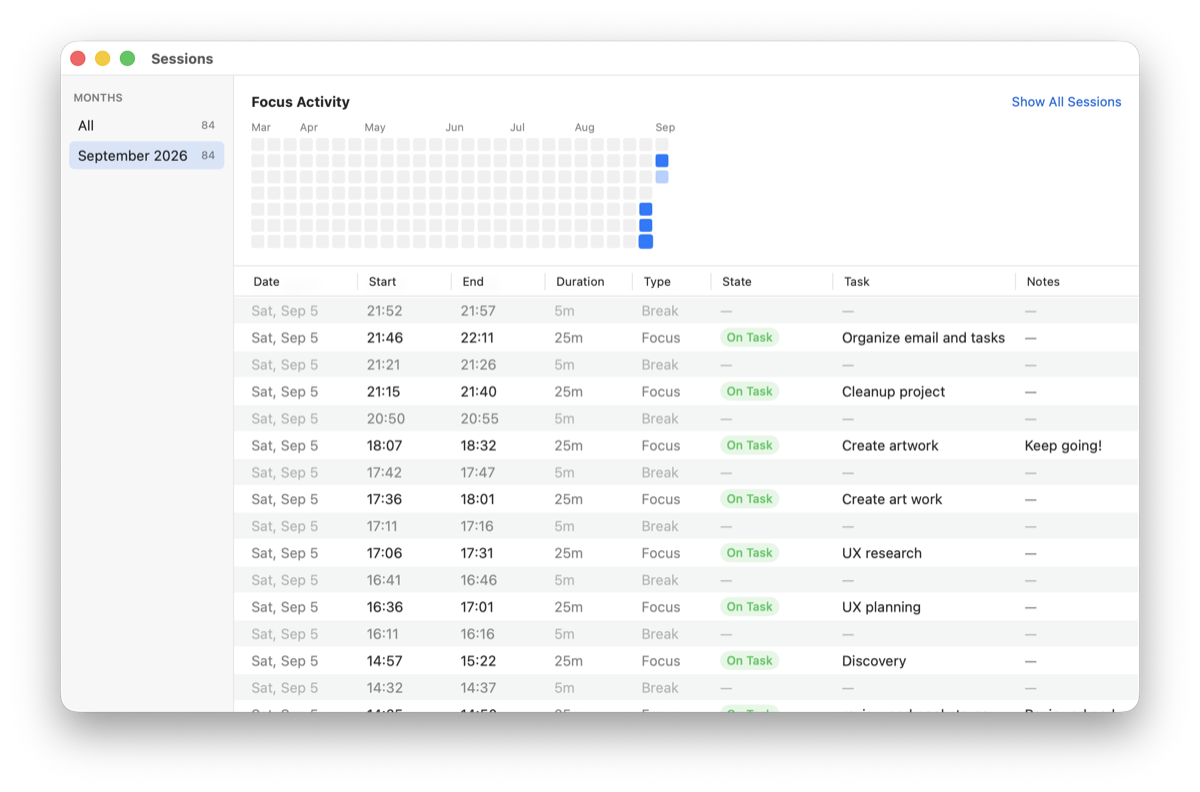
Open Sessions from the menu to see a graph of your activity, plus every timer you've ever run. Each entry shows the start, end, duration, task, and how it went, grouped by month so a year of history stays easy to browse. Click any row to fix a task, add a note, or tag it.
Everything else you'd expect
Quick presets
Six one-click durations, plus a custom timer field that takes MM:SS or just a number of minutes.
Free-form tags
Tag any past session however makes sense to you. No fixed list, no setup: just type and press Return.
Custom alerts
Pick your alarm sound and notification behavior once, from a single Settings panel.
Menu bar only
No dock icon, no clutter. Just a live countdown right where you already look.
Accurate through sleep
The countdown is based on the actual clock, so it stays correct even if your Mac sleeps mid-timer.
Entirely private
Everything stays on your Mac: tasks, notes, tags, and history. No account, no network access.
Support
How do I access the timer?
After installing, look for the timer icon in your Mac's menu bar. Click it to open the timer, quick presets, Focus mode, and links to Sessions and Settings.
What does Focus mode actually do?
Turning it on sets the timer to 25 minutes. From then on, it automatically chains a 5-minute break after every focus session, and a new focus session after every break, so you never need to start the next leg yourself. Turn it off anytime to go back to running timers manually.
Do I have to describe every timer I run?
No. Focus sessions always ask, since that's the point of Focus mode. Any other timer only prompts for a task and notes if you turn on "Task & notes for all timers" in Settings. It's off by default.
Where can I see my session history?
Choose Sessions from the menu. You'll see an activity graph of your focus time and a full table of every session, filterable by month. Click a task, note, or tag cell on any row to edit it after the fact.
Can I customize the timer durations?
Yes. Six quick presets are one click away, and "Set timer" accepts any custom duration, either as MM:SS or as a plain number of minutes.
Does the timer stay accurate if my Mac goes to sleep?
Yes. The countdown is calculated from the actual end time, not just ticked down second by second, so it stays correct even after your Mac sleeps and wakes back up.
What notification sounds are available?
Choose from several built-in macOS sounds in Settings, with a preview so you can hear it before picking.
How do I uninstall the app?
Drag MenuBarTimer from your Applications folder to the Trash. Your session history and preferences are removed along with it.